

Detail Page Layout
The shared layout behind issue, change request, and document detail pages, and what the sidebar tells you
Issues, change requests, and documents track different kinds of work, but their detail pages share one layout. Learn it on any of the three and you will find the same information in the same place on the other two. This page walks through that layout and explains what each field means.
Page layout
A detail page has three areas. The wide area on the left holds the content, and a sidebar sits to its right.
| Area | Location | Purpose |
|---|---|---|
| Title | Top of the page | Shows the title and identifier of the work item. |
| Key information preview | Directly under the title | Surfaces the fields you check most often in a single row, so you do not have to open the sidebar. |
| Sidebar | Right side of the page | Collects everything known about the work item into cards. |
Key information preview
The preview area under the title repeats the handful of sidebar fields people check most. It exists so you can confirm an assignee or a status without moving your eyes to the far right of the screen while reading. Anything not shown here lives in the sidebar.

Sidebar
The sidebar groups information into three cards: Details, Members, and Related work. In order, they answer what this work item is, who is involved, and what it connects to. Which fields appear depends on the kind of work — fields that do not apply are left out of the sidebar entirely.
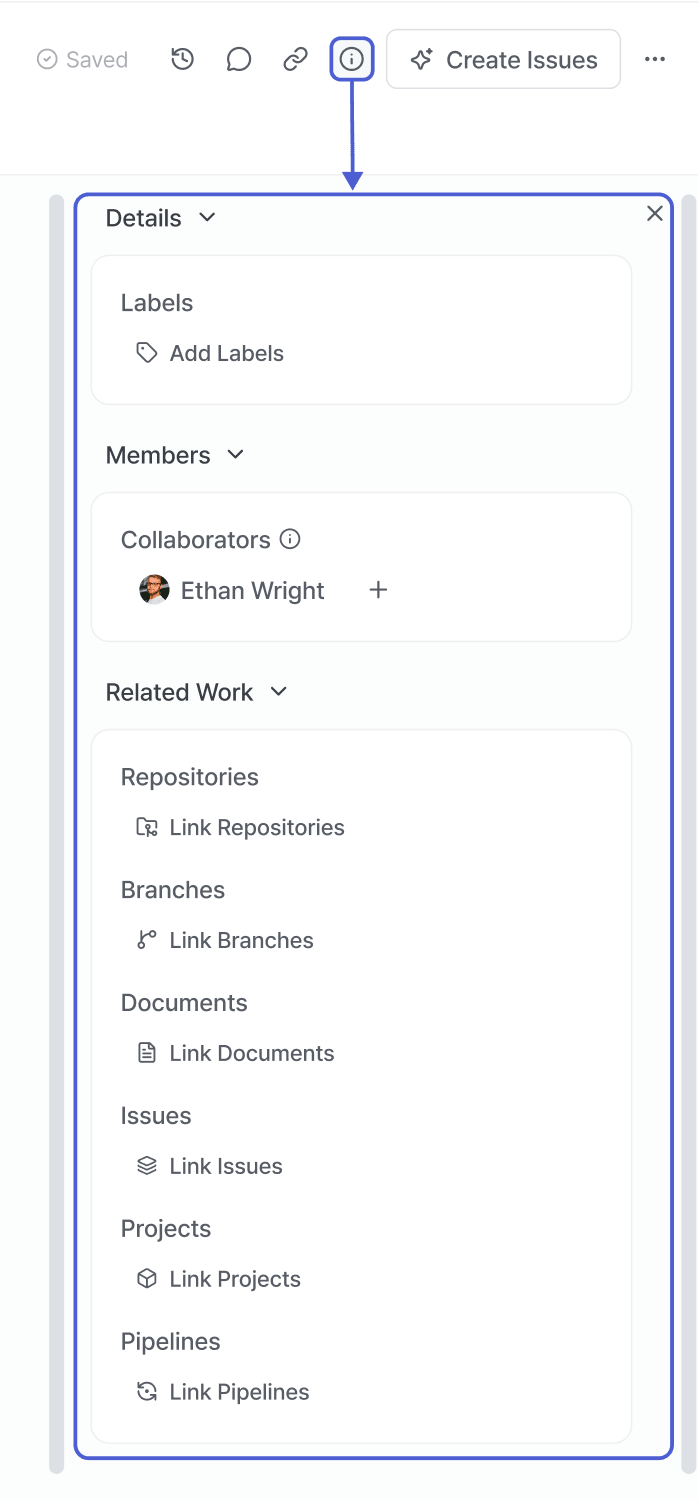
Details
Attributes of the work item itself. Most of the filters and sort options in lists and boards read from this card.
| Field | Description |
|---|---|
| Type | Classifies the nature of the work. Lists and boards use it to group or filter items of the same type. |
| Status | Where the work item currently stands. Changing it moves the card to the matching column on the board. |
| Priority | Determines what gets handled first. Choose one of Urgent, High, Medium, or Low. |
| Due date | The date you are aiming to finish by. Issue progress, and whether an item is late, are measured against it. |
| Labels | Free-form tags that work alongside type and status. A single item can carry several at once. |
Members
Who is involved, listed by role. The role decides what a person can do here and which notifications they receive.
| Field | Description |
|---|---|
| Assignee | The person actually doing the work. My Work on the dashboard gathers items by assignee. |
| Reviewer | The person who checks the result and decides whether to approve it. On a change request, work cannot move to the next stage until the review is done. |
| Participants | People who are neither assignee nor reviewer but are following along. They are notified when the item changes — much like cc on an email. |
| Collaborators | People who write and edit a document together. Used with documents, and a single document can have several. |
| Creator | The person who opened the work item. Used with change requests, it shows who proposed the change. |
Related work
How this item connects to other work and to what the team produced. Select any entry to jump straight to it.
| Field | Description |
|---|---|
| Sprint | The sprint this item belongs to — the batch of work the team committed to for that period. |
| Project | The project this item belongs to. |
| Milestone | The phase this item is grouped under. Its status feeds into milestone progress. |
| Change request | A change request opened to resolve this item. Link it straight from the sidebar to trace which code changes came out of this work. |
| Document | Documents covering the background, design, and decisions behind this item. Link them straight from the sidebar. |
| Issues | Issues related to this work item. |
| Related issues | Issues connected to this item, grouped by how they relate: related, preceding, following, and duplicate issues. |
| Repository | The source repository this work relates to. Jump straight to where the code lives. |
| Branch | The branch the work for this item happens on. |
| Pipeline | Pipelines run for this item. Check build and deployment results here. |
| Sub-issues | Issues this one was broken down into. Their progress rolls up to this item. |
Most sidebar values can be edited in place.