

Issuing a Gmail App Password
How to issue a Gmail app password for the sending account to enable on-premise email notifications
To send CollabOps email notifications through Gmail on an on-premise deployment, an 'App Password' for the sending Google account is required. Follow the steps below to issue an app password, then share it together with the sending account email with your CollabOps contact. The server-side integration is configured by the CollabOps team.
An app password is different from your Google account login password. The login password is rejected for mail sending. You must issue a separate 'App Password' using the steps below.
Prerequisites
-
A Gmail or Google Workspace account to send from
-
2-Step Verification (2FA) enabled — an app password can only be created when 2FA is on
-
For a Workspace (company) account, the admin must allow app passwords
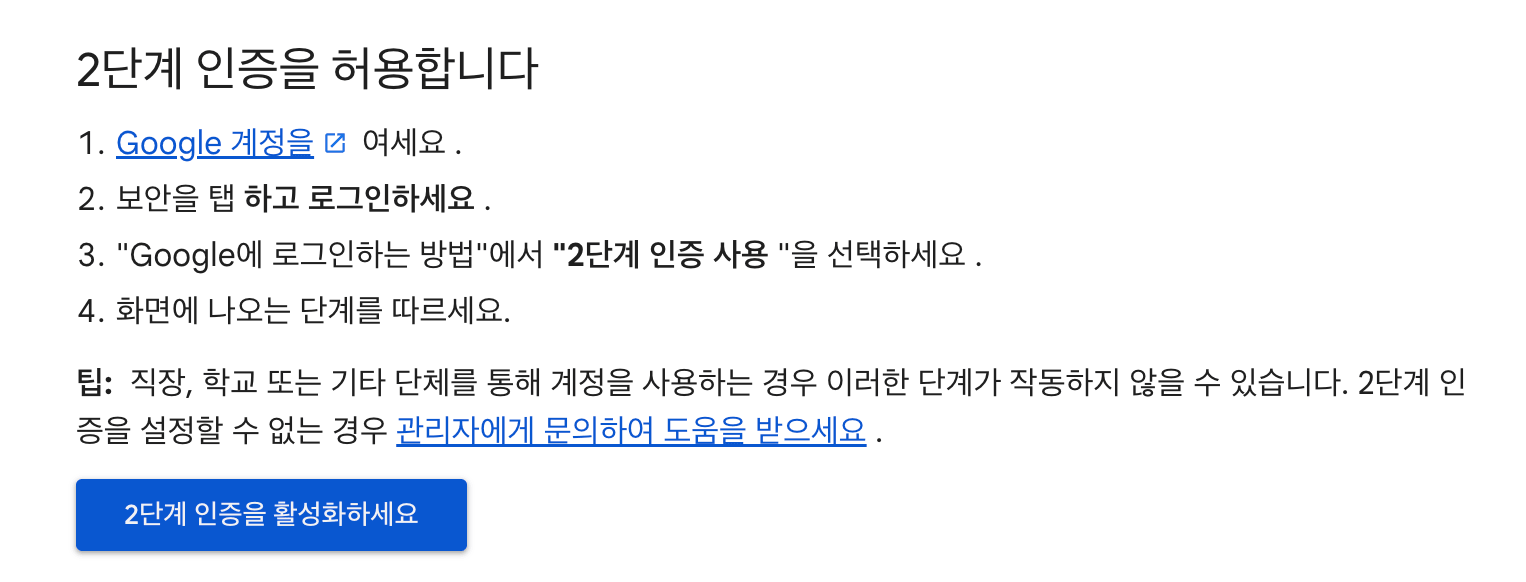
Step 1 — Enable 2-Step Verification (2FA)
Go to Google Account → Security → and turn on '2-Step Verification'. App passwords can only be created when 2-Step Verification is on.
Official guide: Turn on 2-Step Verification
Step 2 — Create an App Password
- Go to the App passwords page.
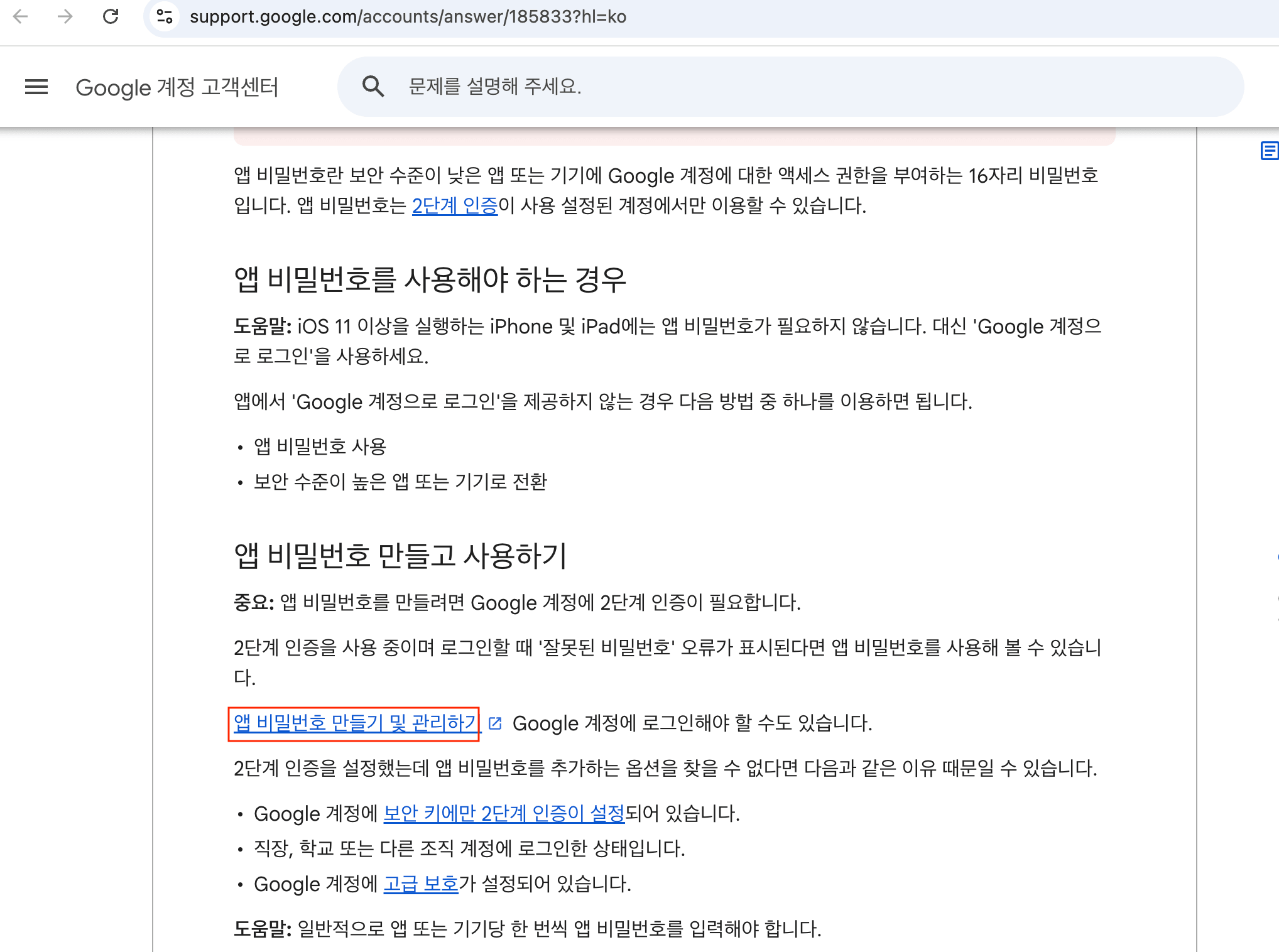
- Enter an app name (e.g., CollabOps) and click 'Create'.
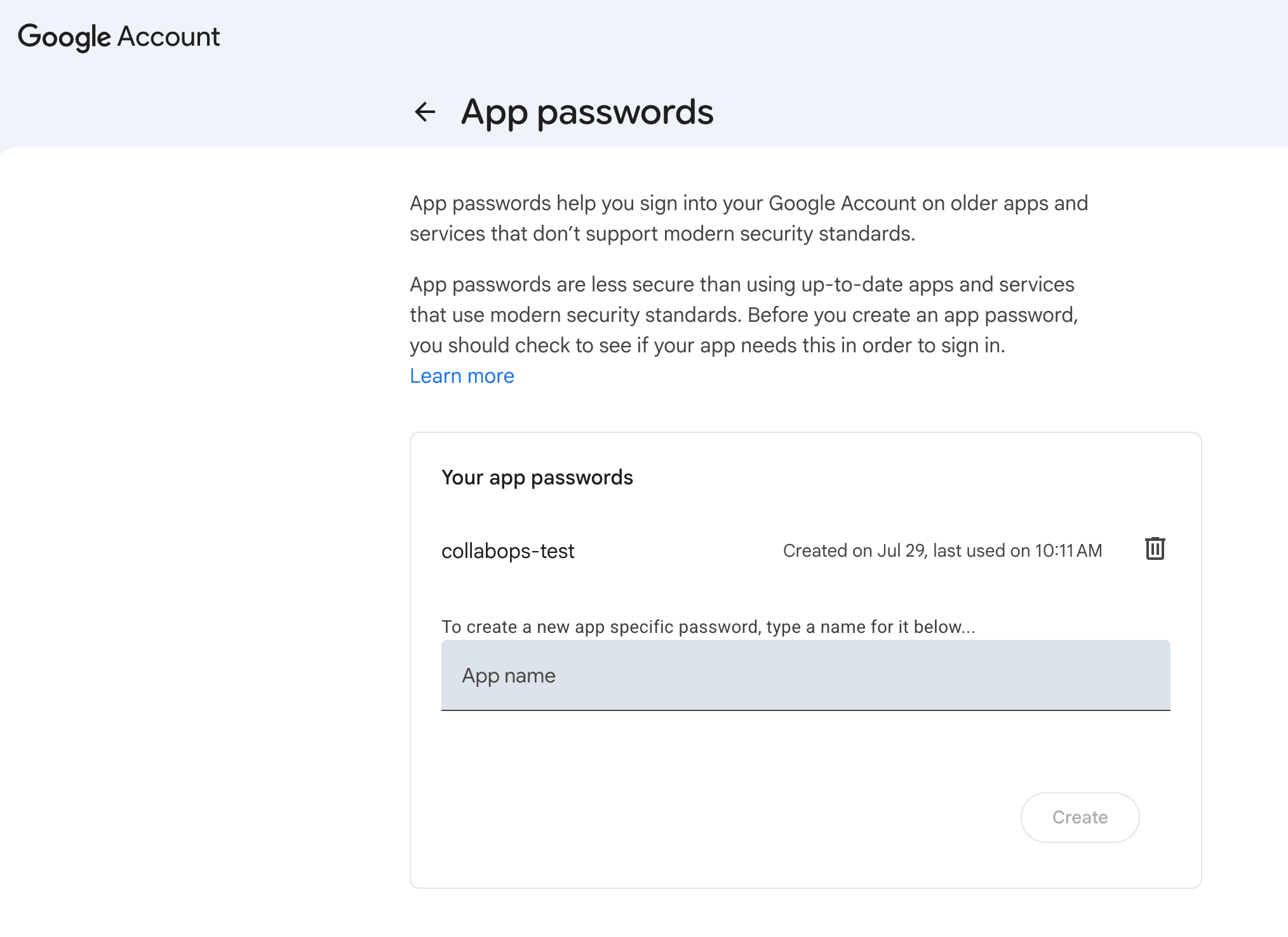
- Copy the 16-character value shown.
An app password is 16 lowercase characters. It is displayed with spaces every 4 characters for readability, but remove all spaces when sharing it. Example: abcd efgh ijkl mnop → abcdefghijklmnop
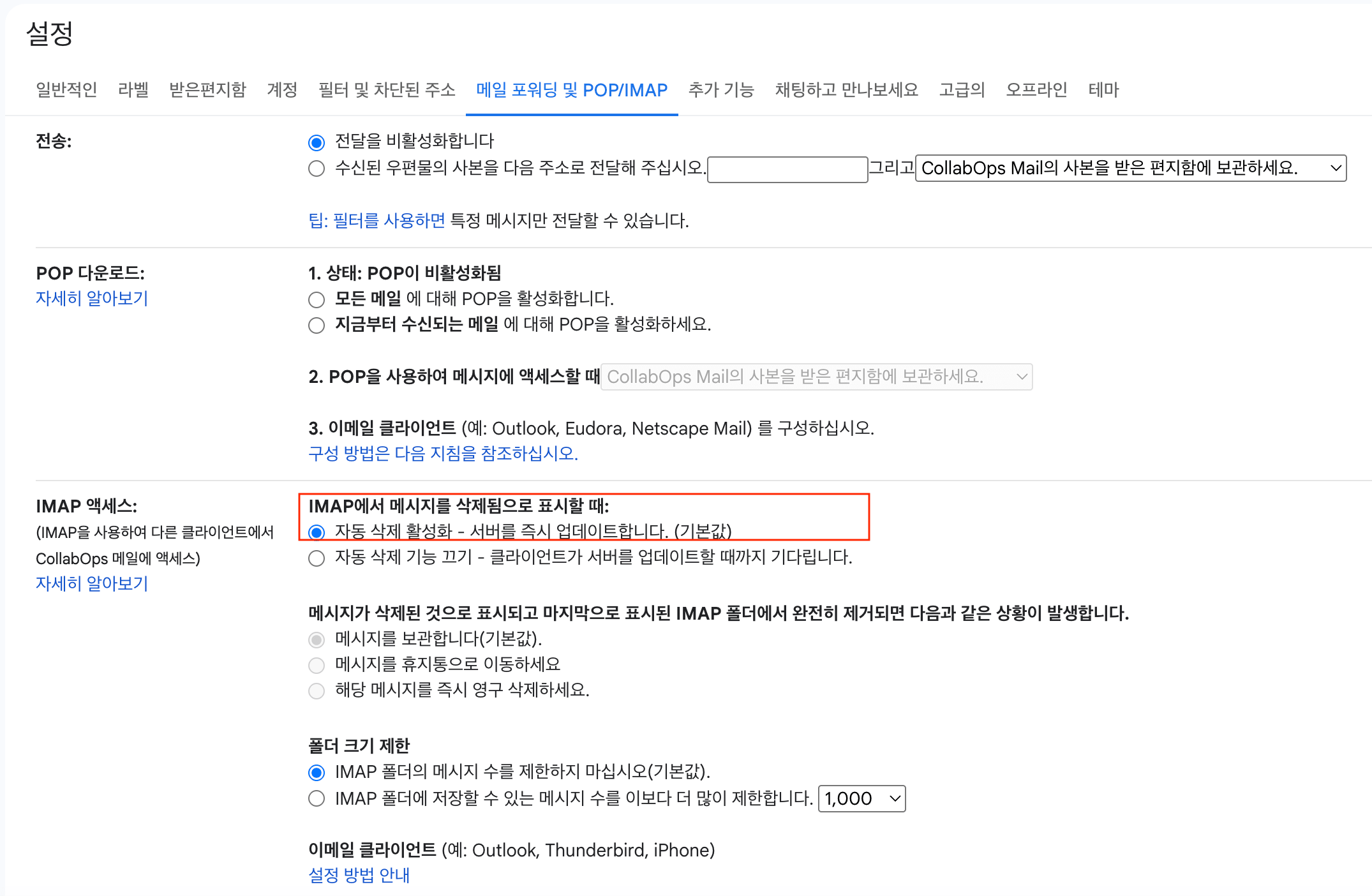
Step 3 — Enable IMAP in Gmail
In Gmail Settings → the 'Forwarding and POP/IMAP' tab, select 'Enable IMAP' and click 'Save Changes' at the bottom. This allows external mail clients to connect.
Open settings: Gmail Forwarding and POP/IMAP settings
Sharing
Share the 16-character app password and the sending account email (e.g., user@example.com) with your CollabOps contact. The CollabOps team then configures the server-side integration.
An app password grants access to the account and is sensitive. Share it through a secure channel, and delete it from your Google account once it is no longer needed.