

Milestones
Overview of milestones — track progress by breaking a project into phases
Milestones let you manage a project as a series of phases. A single project can have multiple milestones, and you group issues under each milestone to track progress phase by phase.
1) Milestones are managed on the Overview tab of a project. The Overview tab shows the project's overall progress together with the list of milestones. Use the top tabs to switch between Overview, List, and Board.
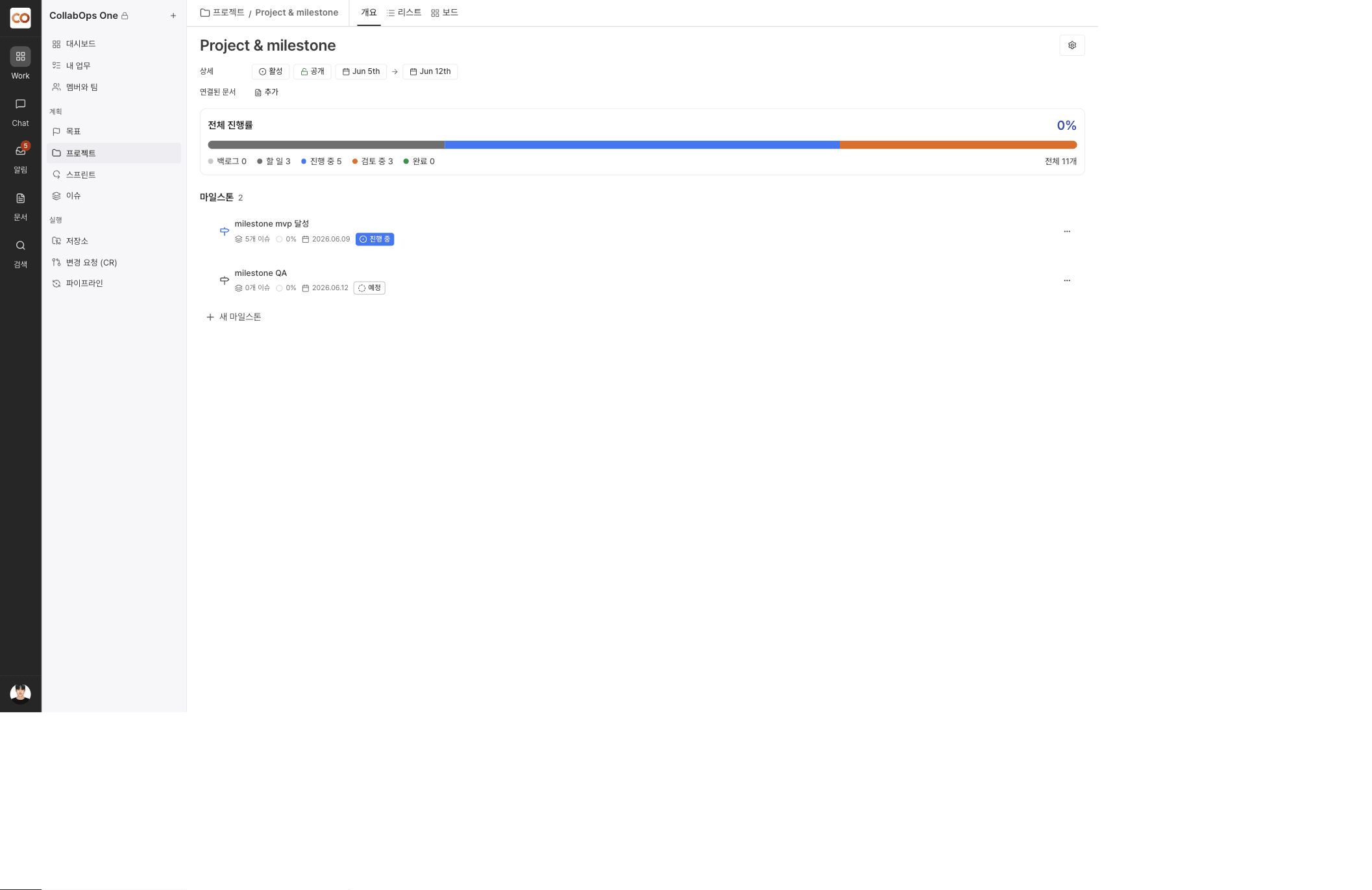
2) Each row in the milestone list shows the milestone name, the number of linked issues, progress, the due date, and the status. Use the actions menu at the far right of a row and the reorder handle on the left to manage a milestone.
3) The overall progress area at the top summarizes every issue in the project by status (Backlog, To do, In progress, In review, Done) as a bar and a percentage.
A milestone always belongs to exactly one project. Access to a milestone follows the permissions of the project it belongs to.