

Progress and Status
How a milestone's progress and status (Planned, In progress, Completed) are derived automatically from its issues
A milestone's progress and status are not entered by hand — they are derived automatically from the issues linked to the milestone. When an issue's status changes, the milestone's progress and status update with it.
1) Each milestone row's progress is the percentage of completed issues out of all linked issues. A milestone with no linked issues shows 0%.
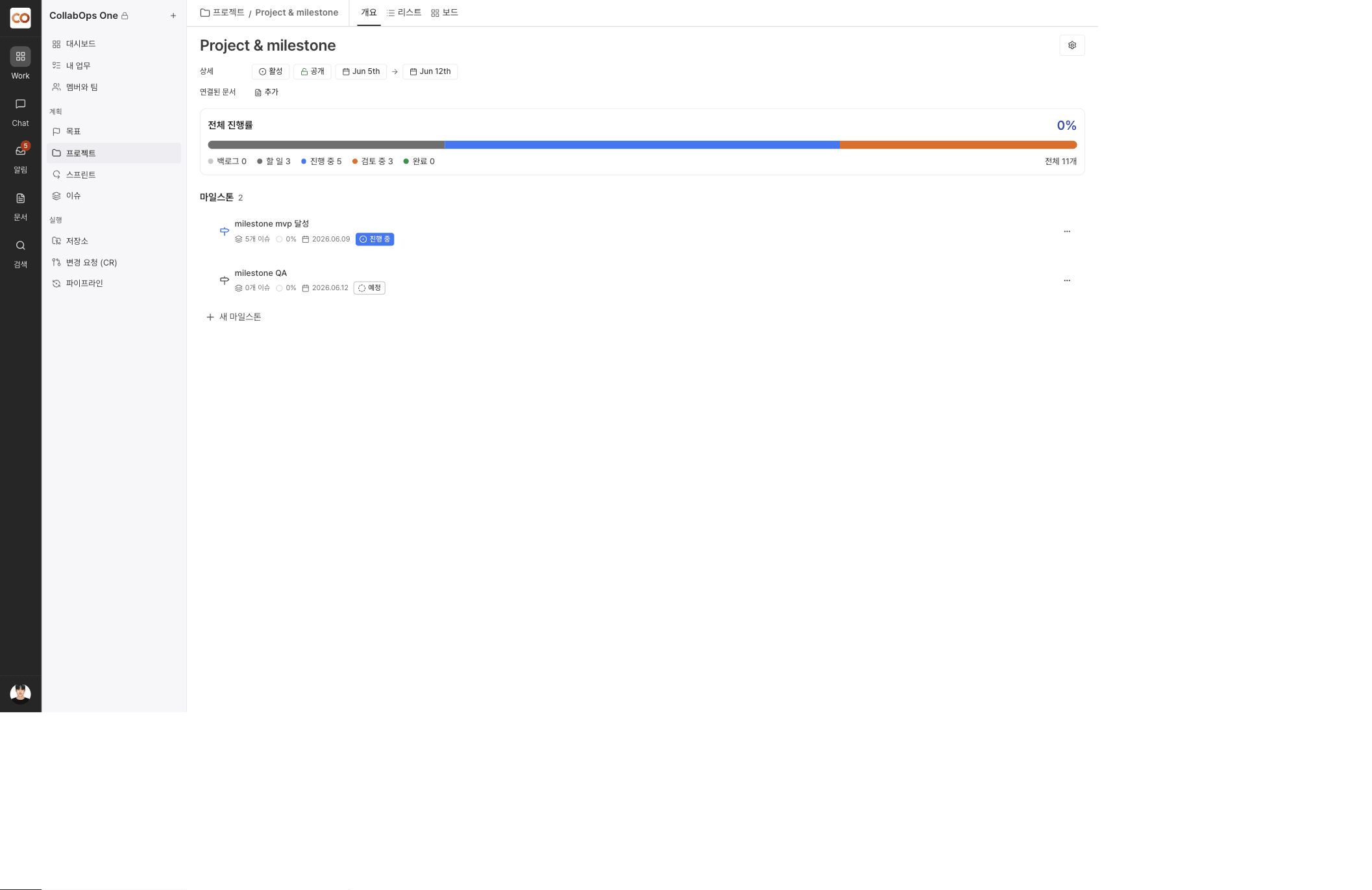
2) A milestone's status is automatically classified into one of three values based on the progress of its issues.
| Status | Condition |
|---|---|
| Planned | No issues are linked, or none of the issues have started yet |
| In progress | At least one issue is in progress or done, but not all issues are done |
| Completed | There is at least one linked issue and every issue is done (100% progress) |
3) The overall progress area at the top of the Overview tab summarizes every issue in the project — not just one milestone — by status (Backlog, To do, In progress, In review, Done).
Status cannot be changed manually. Adding an issue or changing an issue's status recalculates the milestone status automatically.